


Numero: Number - Data - Call
4.19.61K Reviews
App Specs
- Version
- 18.70
- Updated On
- License
- Free
- Downloads
- 10,000,000+
- Developer
- Smarteletec S.L.
- Categories
- Communication
- Platform
- Android, iOS
Screenshots
 Analysis by AppCompare
I tend to notice communication apps most when they change the rhythm of an ordinary day: whether I can keep a work call apart from a personal one, travel without losing access to mobile data, or make a call without handing out my usual number. Numero: Data, Numbers, & Calls brings those needs together in one place. That combination is useful, but it also asks you to think about how many communication tools you really want in a single app.
One app for a more deliberate way to stay in touch
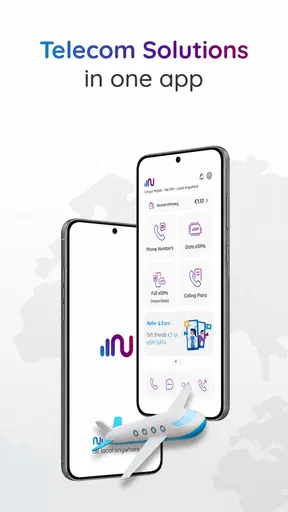
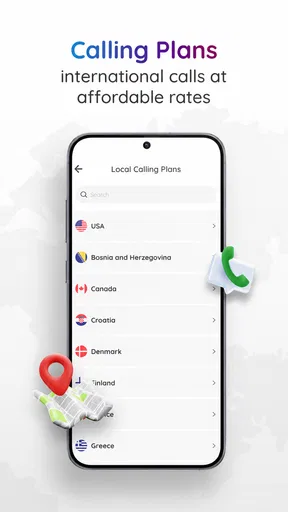
Numero is a free communication app from Smarteletec S.L. Its focus is practical rather than social: it offers travel eSIM data, virtual numbers such as a USA number, and global calling. The app has a 4.2 average rating from around 138,000 ratings, and it has passed 10 million installs. Those figures suggest broad interest, though they cannot tell you whether its particular mix suits your routine.
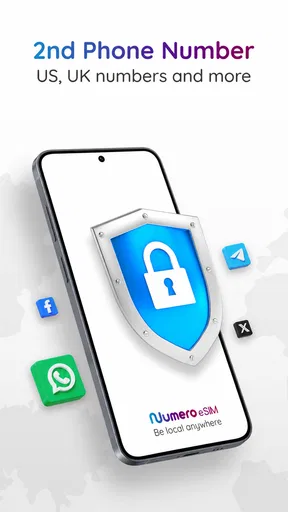
The main appeal, to me, is having options when my regular mobile setup is inconvenient. A separate number can help keep a public-facing contact point apart from the number friends and family already use. Travel data and international calling address different parts of the same problem: staying reachable when crossing borders, while avoiding the assumption that one carrier plan or one number will be ideal everywhere.
That does not make Numero a replacement for every communication app. It is better understood as an extra layer for specific situations. If your current number and mobile plan already work well, installing another app may add more to manage than it removes. If you travel, need a second contact number, or regularly call internationally, that extra layer may earn its place.
How the conversation changes when numbers are separate
Using a virtual number can change not just which calls you receive, but how you decide to share your contact details. For example, I would consider using a separate number when dealing with a short-term project, arranging a service, or keeping travel-related conversations distinct from personal chats. The useful part is the boundary: I can give out a number for one purpose without making my everyday number the default for everything.
There is a trade-off, though. A second number only helps if you remember where you shared it and check the right place for replies. Before relying on one for an important conversation, I would make a test call or message and confirm that the other person can reach me as expected. I would also tell key contacts which number to use, rather than assuming they will recognize it. That small bit of setup can prevent missed calls and confused callbacks.
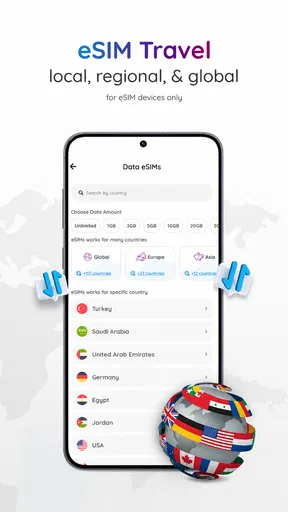
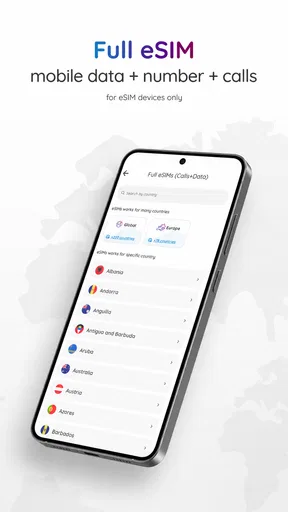
For a realistic travel day, imagine arriving in another country and needing to contact a hotel, a driver, or someone at home. Having travel data and an app for global calls available can make it easier to handle those tasks without switching between several services. I would still check the relevant plan details before depending on it, and keep essential travel information accessible offline. The app can make communication more convenient, but it cannot remove the need to prepare.
Worth Reading Before You Choose

EA SPORTS FC Mobile 26 Is a Bigger Football Game, but It Takes Time

Flipboard Shows What News Apps Must Do Beyond the Feed

Switching to Android Auto Means Rethinking Your Driving Routine

Google Calendar Makes a Crowded Week Easier to Manage

Ludo King Makes the Most of the Minutes Between Plans

Baby Panda World Brings Quick Play to Modern Phones, but Its Game Library Feels Busy
Convenience has an attention cost
Putting numbers, calls, and mobile data in one app can reduce the number of places I need to look. It can also give me one more place to check. A second number is only a benefit if I can keep track of which identity I am using; travel data is only reassuring if I understand what is active and what I may need to pay for. The strongest workflow is a simple one: decide why you need a separate number, share it only for that purpose, and review your setup before a trip or a change in routine.
Compared with relying only on a regular carrier number, Numero offers more flexibility for a second line and travel-oriented connectivity. Compared with a collection of separate calling and travel tools, bringing these needs together may feel tidier. But a carrier’s own service may be the clearer choice if you want everything tied to your existing account, while a dedicated travel option may suit someone who only needs data abroad and has no use for another number or global calls. I would choose based on the problem I actually have, not on the appeal of collecting extra features.
Who will get the most from it
I see the best fit for people who have a recurring reason to separate their communications: frequent travelers, people who call across borders, or anyone who wants a distinct number for a particular role. It may also be useful if you are trying to keep a work contact channel from blending into your personal one. The app is rated for Everyone, but that age label does not mean every feature or purchase is automatically suitable for every person; I would still have an adult review the setup and spending choices for a younger user.
On the other hand, I would skip it if I rarely travel, never need an additional number, and already make international calls comfortably through my normal service. In that case, another account and another app could create small but persistent chores: remembering which number is active, keeping track of where replies arrive, and checking costs before use. A focused carrier plan or a single-purpose travel service may be simpler for people with just one narrow need.
Getting Started with Numero
Installing Numero was a breeze. A quick download from the App Store and Google Play, and I was up and running. The interface is sleek and modern, with a user-friendly layout that doesn’t require a degree in tech to navigate. I appreciated the gentle onboarding process, which guides you through the app’s main features without overwhelming you.
Exploring the Features
The first thing that caught my eye was the app’s versatility. Numero isn’t just a one-trick pony. It’s packed with features that cater to different needs. Let’s break it down:
- Virtual Numbers: Need a second phone number for work or personal use? Numero has you covered. You can easily set up multiple virtual numbers from different countries, which is a game-changer for frequent travelers or business folks.
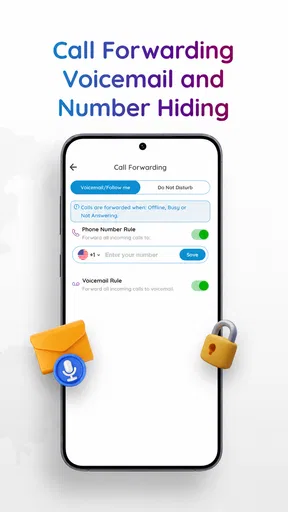
- Call Management: The app offers a comprehensive call management system. You can track and record calls, set up call forwarding, and even block unwanted numbers. It’s like having a personal assistant in your pocket.
- Data Tracking: Keeping tabs on your data usage is crucial, especially if you’re on a limited plan. Numero provides detailed insights into your data consumption, helping you avoid those dreaded overage charges.
- SMS Services: Sending and receiving texts from your virtual numbers is seamless. The app supports international texting, which is perfect for staying in touch with friends and family abroad.
A Day in the Life with Numero
Using Numero on a day-to-day basis felt like having an upgraded version of my phone’s native capabilities. I’ve been juggling between personal and work calls without the hassle of carrying two phones. The virtual number feature is highly customizable, allowing me to choose numbers from a wide range of countries.
One feature I found particularly handy was the call recording. It’s not just a gimmick; it’s practical, especially for those important business calls where details matter. The recordings are clear, and accessing them is straightforward.
Data tracking is another highlight. The app sends gentle reminders about my data usage, helping me stay mindful and avoid those unpleasant surprises at the end of the month. It’s like having a watchdog that ensures I’m not burning through my data plan unknowingly.
Keeping communication organized in practice
When I use a second number, I find it helps to assign it a clear job instead of treating it as a spare for everything. For instance, I might reserve it for a project or for contacts I expect to reach only while traveling. That makes incoming calls easier to interpret: I have a better idea why someone is calling before I answer. It also gives me a straightforward way to decide later whether that channel still deserves my attention.
A practical habit is to review which number appears on a message or call before replying, especially when switching between personal and work conversations. This is less about a complicated setup than avoiding a simple social mix-up: answering a professional contact as though they were a friend, or sending a callback from a number the recipient does not recognize. I would also avoid putting a temporary number on accounts where losing access could cause trouble unless I have checked that the number will remain available for as long as I need it.
For calls where details matter, recording can be useful, but I would treat it as a deliberate tool rather than an automatic part of every conversation. Before recording, I would consider the other person’s expectations and any rules that apply where the call takes place. A recording can help me revisit instructions, but it does not replace taking notes or confirming important decisions in writing. That distinction keeps a convenience from becoming a source of awkwardness or misplaced confidence.
Costs, setup choices, and useful checks
The app is free to install, while in-app purchases range from about fifty cents to roughly two hundred thirty dollars per item. That broad spread makes it worth checking the price of the specific option you intend to use before confirming a purchase. I would decide what I need first—such as a particular number or travel connectivity—then compare the available choices, rather than browsing casually and assuming every feature is included at no cost.
Numero’s current version is 18.53, and it requires Android 9 or later on Android. Those details matter if you are installing it on an older phone, especially before relying on it for a trip or a work arrangement. I would install it while I have dependable internet, complete any setup I need, and test the relevant communication route before leaving home. A little preparation is more valuable than discovering a setup issue when I am already trying to make an urgent call.
One question people often have is whether an app-based number should replace their main number. I would not treat it that way without a specific reason. Keeping the everyday number for long-standing contacts and using a virtual one for a narrower purpose makes the roles easier to understand. Another common question is whether this is useful if I only need travel data. It can be, but if I have no interest in a second number or global calls, a service focused solely on travel connectivity may involve less to learn.
Performance and Usability
I tested Numero on both an Android and an iOS device. Performance was consistent across both platforms, with no noticeable lags or crashes. The app’s design is responsive, adapting well to different screen sizes, which is a plus for tablet users.
In terms of usability, Numero strikes a balance between functionality and simplicity. The app doesn’t bombard you with ads or unnecessary pop-ups, providing a smooth user experience. Navigating through the features feels intuitive, and the help section is comprehensive, should you ever find yourself stuck.
Attention, boundaries, and the final call
What I value most is the chance to make communication more intentional. A separate number can create breathing room between different parts of life, and travel-focused connectivity can help me stay in touch when my usual arrangements are less convenient. But those benefits depend on choosing a clear purpose and keeping an eye on costs, access, and which channel I have shared with whom. The app does not decide those boundaries for me; it gives me tools that can support them.
So, is Numero: Data, Numbers, & Calls worth a spot on your home screen? Absolutely. Whether you’re a business professional, a frequent traveler, or just someone who wants more control over their calls and data, this app offers a robust suite of tools designed to simplify your digital life.
The ability to manage multiple numbers without juggling multiple devices is a standout feature. Add to that the seamless call management and insightful data tracking, and you’ve got an app that’s both powerful and practical. If you’re looking to streamline your communication needs, Numero might just be the app you didn’t know you needed.
Pros
- User-friendly interface makes navigation easy.
- Offers virtual phone numbers for privacy.
- Free plan available with limited features.
- Supports multiple international numbers.
- Efficient customer support response time.
Cons
- Limited features on the free version.
- Occasional app crashes reported.
- Some users face call quality issues.
- Subscription plans can be pricey.
- International SMS may not be reliable.
FAQs for Numero: Number - Data - Call
What features does Numero offer for managing calls and data?
Numero provides a comprehensive set of features for managing your calls and data usage. It offers virtual phone numbers from different countries, enabling you to make international calls affordably. The app also includes tools for tracking data usage, allowing users to monitor and manage their consumption effectively. Additionally, Numero offers a voicemail service and call forwarding options, enhancing the overall communication experience.
Is Numero secure for handling my personal data and calls?
Yes, Numero places a strong emphasis on user privacy and data security. The app uses encryption protocols to protect your call and data information. It ensures that your personal data is not shared with third parties without your consent. Additionally, the app regularly updates its security features to comply with international standards, providing a safe environment for users.
Can I use Numero without a physical SIM card?
Yes, Numero allows you to use virtual numbers without the need for a physical SIM card. This feature is particularly useful for travelers or individuals who need multiple numbers for business and personal use. You can receive and make calls using the app over Wi-Fi or mobile data, making it a flexible option for communication without traditional SIM cards.
What are the costs associated with using Numero?
Numero offers a range of pricing plans to suit different needs. While the app can be downloaded for free, certain features such as purchasing virtual numbers and international calling may incur additional charges. Users can choose from various subscription plans that offer different levels of access and benefits. It's advisable to review the pricing structure on the app's website or within the app itself for detailed information.
Does Numero support emergency call services?
No, Numero does not support emergency call services. The app is designed for personal and business communication, focusing on providing affordable international calls and data management. Users should be aware that for emergency services, a traditional phone line or mobile service with emergency call capabilities is recommended. It's important to have alternative options available for such situations.


